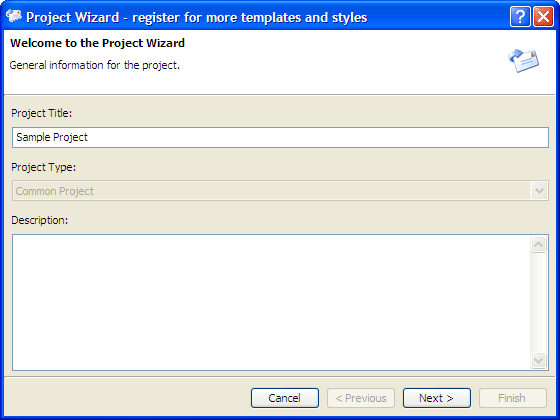
The Project Wizard helps you to enhance the project creation procedure. To start a project wizard, select File > Project Wizard menu.
The wizard window is resizable.
Cancel
Cancels the wizard.
Previous
Rolls back to the last step of the wizard.
Next
Continues to the next step of the wizard.
Finish
Finishes the wizard and close the dialog.
Project Title
Title for the campaign. You could specify the title to be the same as the message subject..
Description
Optional memo for the project, used in reports.
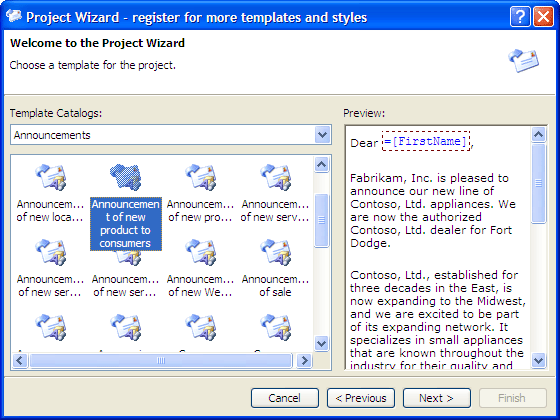
At the second wizard step, you may choose a content template for the project.
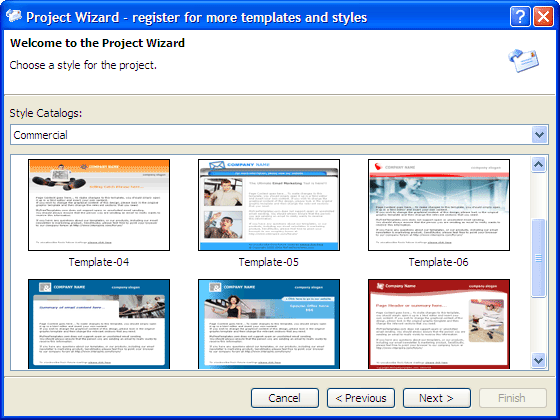
At the third wizard step, you may choose a style template for the project.
At the forth wizard step, you can define the publish settings.
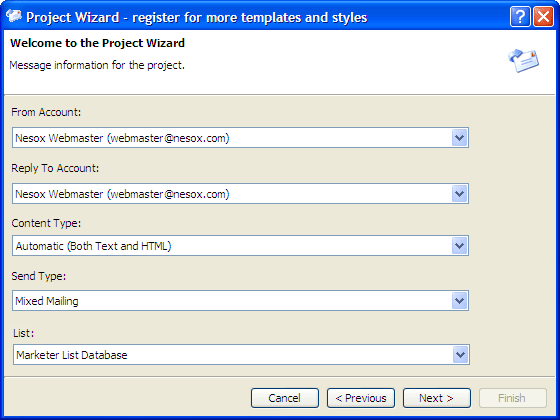
From Account
The mail account for sending messages.
Reply To Account
The mail account for receive incoming email replied by your recipients.
Generally, it is same as the From Account.
Content Type
Indicates the format of your email. It could be Plain text, HTML or both.
Delivery Mode
The way you send your messages. To learn more about delivery mode, please reference
to Direct Mailing, Relay Mailing
and Mixed Mailing.
Mailing List
The mailing list of recipients.
The Wizard finishes and you will be guide to the project views.